Drawing to CAD, checked dimension by dimension
Turn engineering drawings into precise CAD models.
Upload a spec sheet or scanned print. Cyanform reads every view, note and dimension, builds the 3D part, and measures the result against your drawing before you ever download it.
STEPSTLDXF flat patternsMaterial estimates2D drawingsDimension reports
Drag to rotate
Example
From the print to a part you can trust
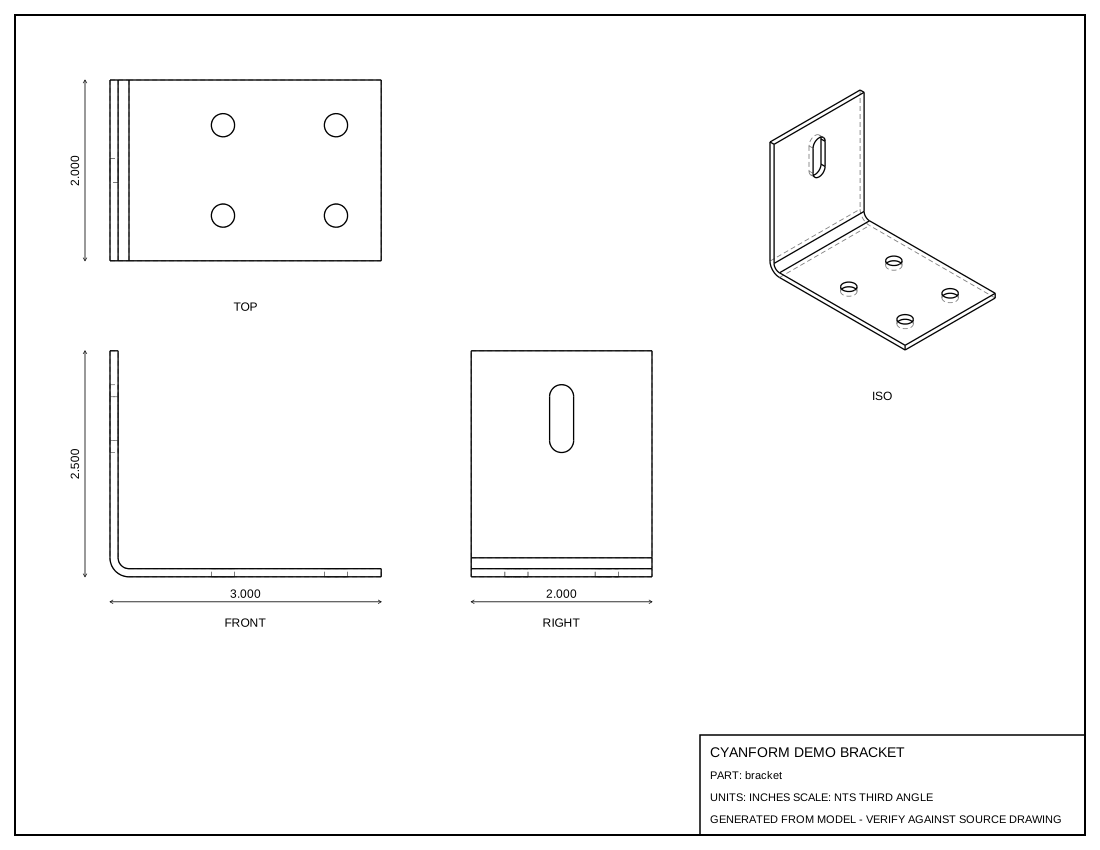
A sheet-metal bracket, start to finish. Click through each step.
Drag to rotate · scroll to zoom
How it works
Like handing the print to a careful CAD tech
Upload the print
PDFs, scans or photos of engineering drawings. Add a note for anything the print doesn't say, like material or which dash number you need.
Cyanform reads and builds
It zooms into each view, lists every dimension, writes parametric CAD code, builds the part and compares renders and measurements against the drawing.
Review and refine
See the model in 3D with the full dimension report and its assumptions. Say "thickness is .090" in chat and it rebuilds.
What you get
Everything the shop needs, from one upload
STEP and STL
Solid models that open in SolidWorks, Fusion, Onshape, Inventor or your slicer.
Dimension report
Drawing value, measured model value, tolerance and pass/fail for every dimension.
Flat patterns and material
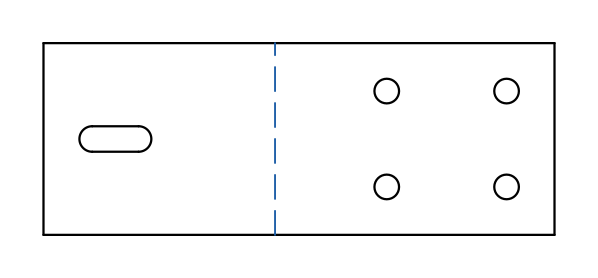
Formed parts unfolded to DXF blanks, with blank size, weight, and how many sheets you need for your quantity.
2D drawings
A generated three-view drawing of the model to compare against the original.
Stated assumptions
Anything the print doesn't specify is listed, never silently guessed.
Revisions in chat
Every rebuild is a new version you can compare, view and download.
Pricing
Pay for what you build. No subscription.
Add credit to your account, and each build uses only the AI work it actually needed. Simple single-sheet parts typically use a few dollars; dense multi-sheet drawings use more. You're never charged beyond your balance.
Credit doesn't expire. Every charge is itemized in your billing history.
FAQ
Questions
How accurate is it?
Every dimension Cyanform reads from the print is measured on the finished model, and builds are fixed until they pass. The dimension report shows each value side by side. Cyanform can still misread an unclear print, so check the report and assumptions before you cut metal, as you would with any CAD tech's work.
What kinds of parts work best?
Machined and sheet-metal parts defined by standard orthographic drawings: plates, brackets, enclosures, hoods, flanges and shafts. Freeform surfaces such as castings or organic shapes are harder to capture from a 2D print.
What files can I upload?
PDF, PNG, JPG, TIFF and WebP, up to 50 MB each. Multi-sheet PDFs are fine; add a note if only certain sheets or dash numbers matter.
What happens to my drawings?
Your files are stored in your account on the Cyanform server, and you can delete a project at any time. To read them, drawings are processed by our AI provider under business terms that don't use your files to train AI models.
What if something's wrong?
Tell it in the chat, e.g. "the R.41 is the inside radius", and it rebuilds. Each version is kept so you can compare.
How does billing work?
Buy a credit pack with a card through Stripe. Each request deducts what it used, and a per-request limit stops a single build from using too much. Your billing history lists every payment and build.
Have a print on your desk?
Create an account, add credit, and get a model with a full dimension report in minutes.